
Step-by-Step eGov Account Creation (eGovPH App)

Getting started with government services in the Philippines is now easier through the eGovPH App. This guide walks you through the step-by-step process of creating your eGov account, so you can access multiple services in one place. Whether you’re registering for the first time or just need a quick walkthrough, follow these simple steps to set up your account securely and correctly.

STEP 1

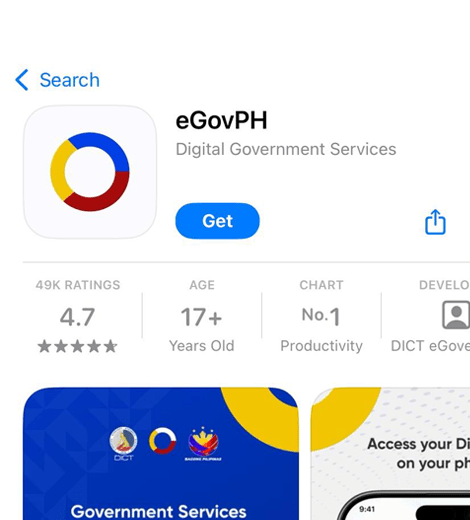
Download & Register on eGovPH.

Install the eGovPH App via Google Play Store and Apple App Store.
viber_image_2026-04-07_09-08-39-906

STEP 2

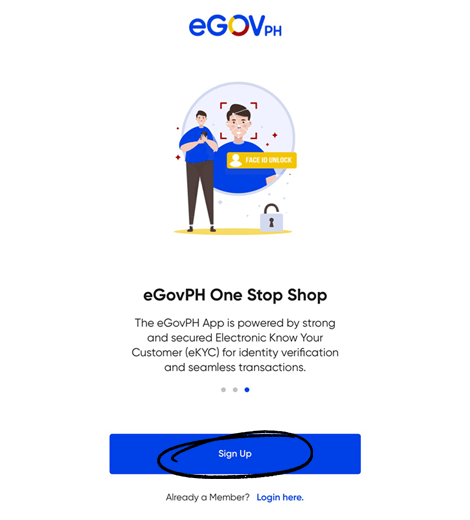
Open the eGovPH app and Sign up.

Click "Sign up" at the bottom of the page.
viber_image_2026-04-07_09-28-34-189

STEP 3

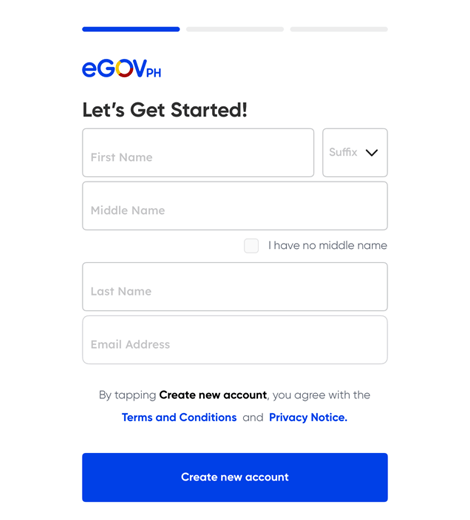
Enter your full name and email address

Click "Create new account"

Note: Please ensure you have access to the email address you entered for verification and completion of your account.
viber_image_2026-04-07_09-32-23-654

STEP 4

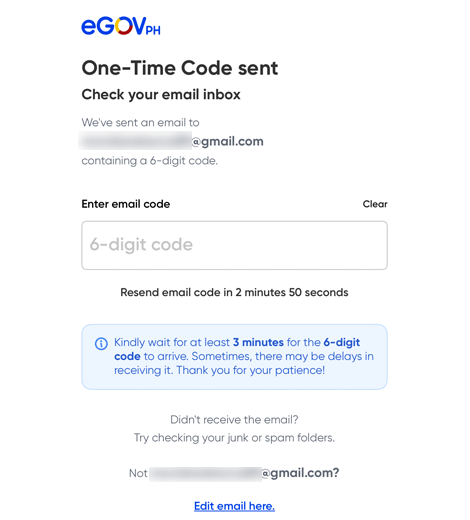
Security Verification

Input the One-Time Email Code sent to your email address
viber_image_2026-04-07_09-39-10-749

STEP 5

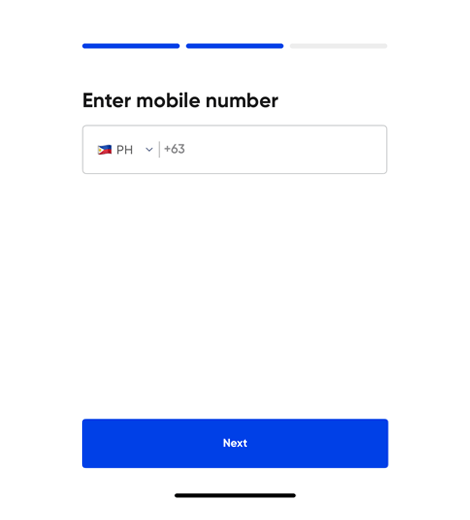
Mobile Number Verification

Enter your mobile number and input the 6-digit One-Time Password (OTP)
viber_image_2026-04-07_09-43-46-909

STEP 6

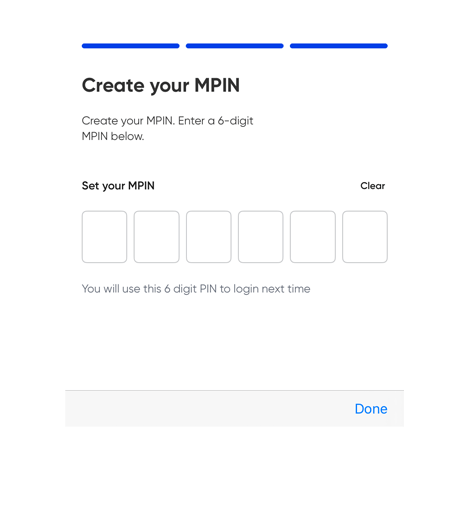
Set up your MPIN

Create your 6-digit MPIN
viber_image_2026-04-07_09-46-30-739

STEP 7

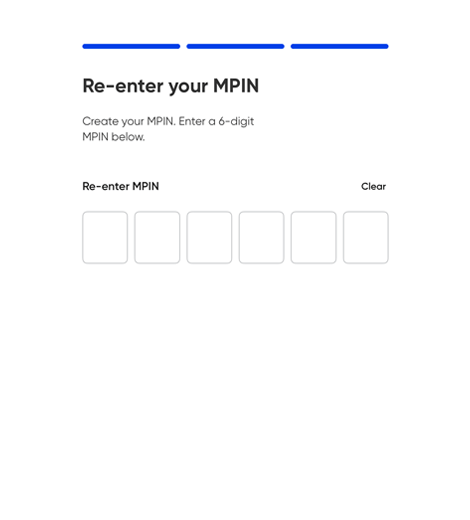
Confirm your MPIN

Re-enter your 6-digit MPIN
viber_image_2026-04-07_09-50-14-057

STEP 8

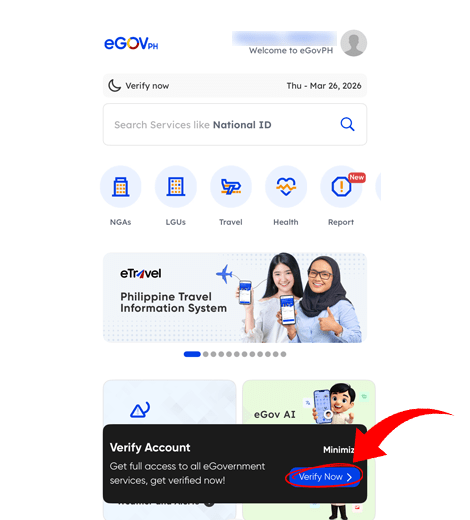
Access the Homepage

On the app's home page, select "Verify Now"
viber_image_2026-04-07_09-56-44-184

STEP 9

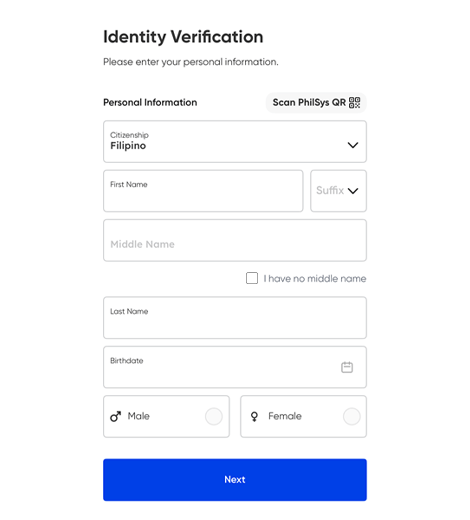
Enter your Personal Details

Input your complete personal information
viber_image_2026-04-07_10-04-06-537

STEP 10

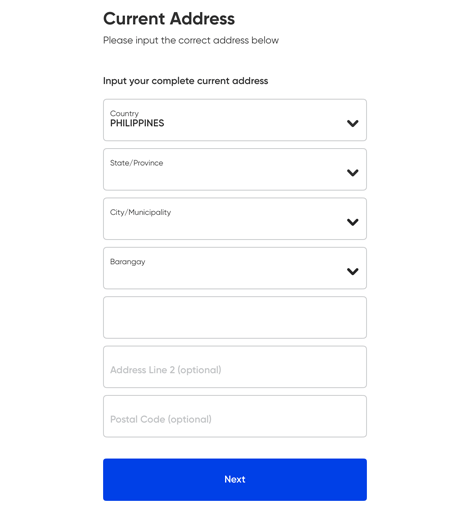
Enter your Current Address

Input your complete current address
viber_image_2026-04-07_10-09-12-608

STEP 11

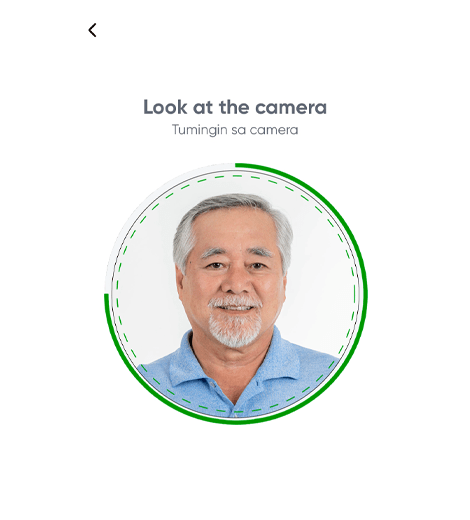
Identity Verification (Face/Selfie)

Follow the on-screen instructions to complete the facial recognition process to confirm your identity
viber_image_2026-04-07_10-20-18-298

STEP 12

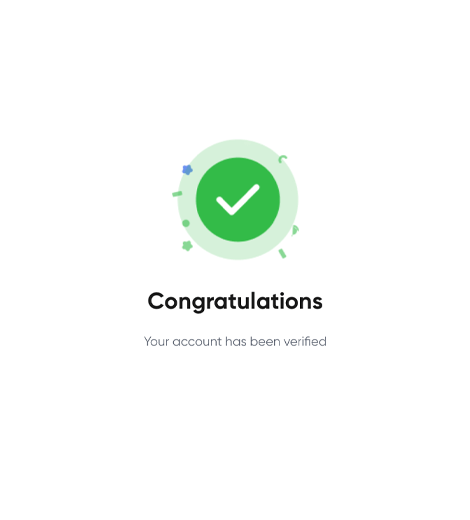
Congratulations!

Once your face verification succeeded, you gained full access to all eGovPH features
viber_image_2026-04-07_10-27-25-411
Once your eGov account is set up, you’re ready to explore a more convenient way to access government services anytime, anywhere. Keep your login details secure and make sure your information stays updated for a smoother experience. If you run into any issues, revisit the steps or check the app’s support section for help.

formerly Keralty

Copyright 2020 | Care Center All rights reserved