HomeHow to Register For Philhealth YAKAP thru eGov
How to Register For Philhealth YAKAP thru eGov
Choosing a Care Center Clinic as your YAKAP provider helps ensure you receive timely and reliable healthcare support when you need it most. Simply follow the steps below to enjoy a more seamless experience, from free consultations to access to free medicines. Get started to make the most of your YAKAP benefits.
STEP 1
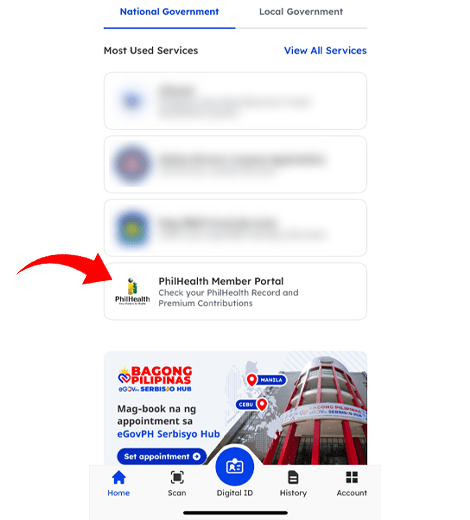
Access the Portal
Go to the Philhealth Member Portal via eGov.
STEP 2
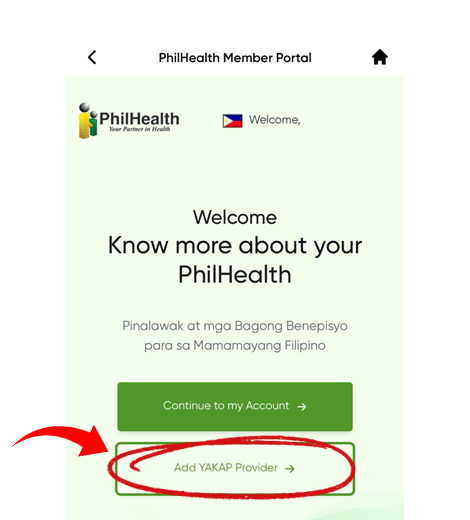
Add a Yakap Provider
Select "Add YAKAP Provider"
STEP 3
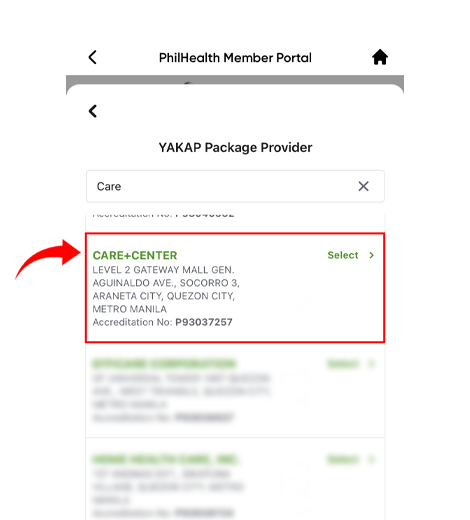
Search for a Provider
Province: Metro Manila
City/Municipality: Quezon City or Pasay City
Look for: Care Center Clinic - Gateway or Festival
STEP 4
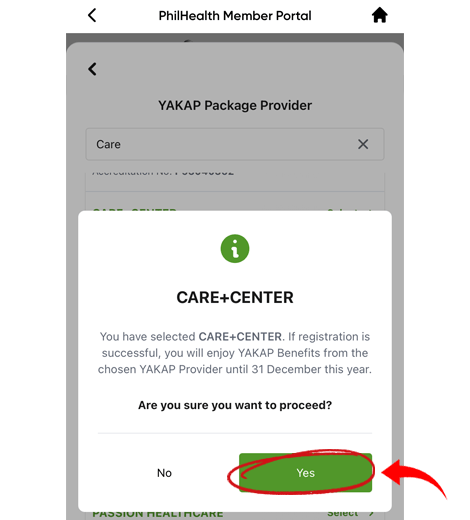
Confirm Selection
Once selected, a prompt will appear: "You have selected CARE+CENTER.... Are you sure you want to proceed?Click "YES" to confirm.
STEP 5
Verify your Registration
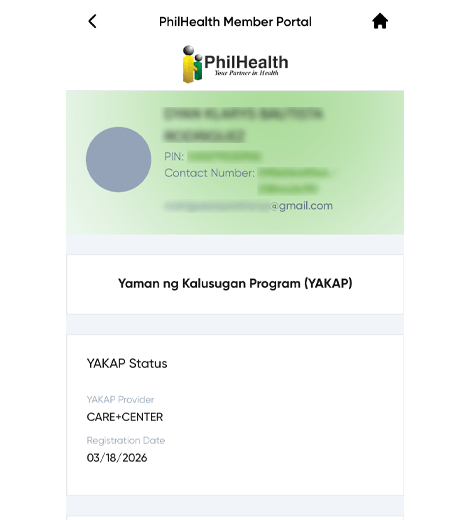
Check your YAKAP Status. It should display:
✓ YAKAP Provider: CARE+CENTER
✓ Registration Date: [Your Date of Registration]
Note: Upon successful registration, you can enjoy YAKAP benefits from your chosen provider until December 31st of the current year.
Now that you have successfully registered your Care Center Clinic as your YAKAP provider, you may proceed to your selected Care Center Clinic branch to avail of your PhilHealth YAKAP benefits.