

Take advantage of your Philhealth Yakap at GAMOT benefits at Care Center Clinic
Philhealth Yakap
Care Center Clinic is a PhilHealth YAKAP–accredited facility committed to reaching more Filipinos and promoting preventive healthcare.
As an upgrade to the previous Konsulta program, PhilHealth YAKAP (Yaman ng Kalusugan Program) provides members with free primary healthcare services designed to promote prevention, support early detection, and reduce hospital dependency. Through the Care Center Clinic, members can receive free consultations, essential laboratory and cancer screening tests, and up to P20,000 worth of free medicines yearly under the GAMOT (Guaranteed and Accessible Medications for Outpatient Treatment) program.
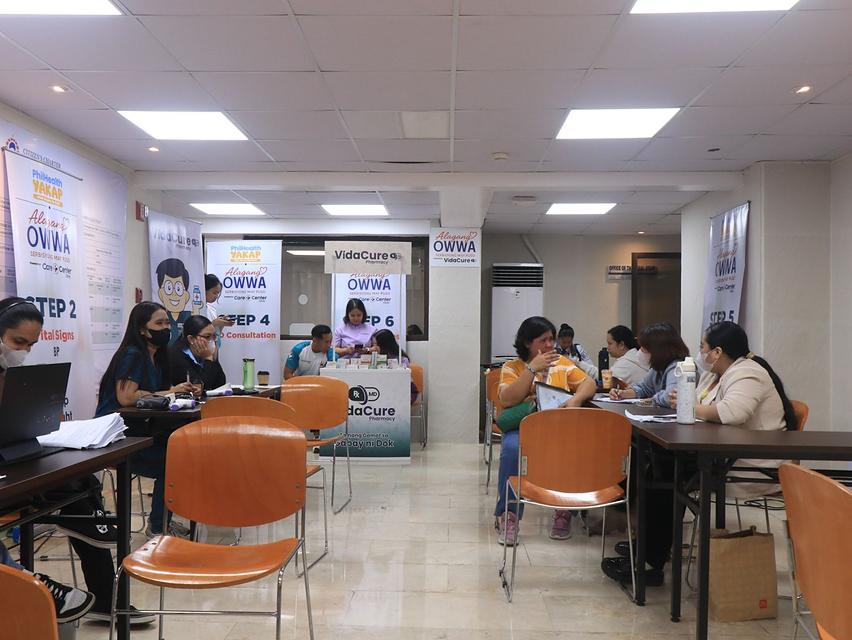

Philhealth GAMOT
After becoming a YAKAP member, you can consult with a YAKAP physician to complete your First Patient Encounter (FPE). During this visit, your doctor will assess your health and, if needed, issue a prescription bearing a Unique Prescription Security Code (UPSC).
Members may avail of up to ₱20,000 worth of free outpatient medicines annually under the PhilHealth GAMOT (Guaranteed and Accessible Medications for Outpatient Treatment) program. This includes commonly prescribed maintenance medications, which can be claimed at any accredited PhilHealth GAMOT pharmacy, including VidaCure Pharmacies.
Through this program, members are better able to manage their health without the added financial burden of regular medication costs, helping ensure continuous treatment, improved health outcomes, and greater peace of mind.
How to Create an eGovPH app account
Download the eGovPH app
Open the eGovPH app and Sign up.
Enter your full name and email address.
Click “Create new account”
Note: Please ensure you have access to the email address you entered for verification and completion of your account.
Security Verification
Input the One-Time Email Code sent to your email address
Mobile Number Verification
Set up your MPIN
Create your 6-digit MPIN
Confirm your MPIN
Access Home Page
Enter your Personal Details
Identity Verification (Face/Selfie)
How to Register For Philhealth YAKAP thru eGov
Access the Portal
Go to the Philhealth Member Portal via e-Gov
Add a Yakap Provider
Search for a Provider
- Province: Metro Manila
- City/Municipality: Quezon City or Pasay City
- Look for: Care Center Clinic - Gateway or Festival
Confirm Selection
- Once selected, a prompt will appear: "You have selected CARE+CENTER...."
- Are you sure you want to proceed?
- Click "YES" to confirm.
Verify your Registration
- Check your YAKAP Status. It should display:
- YAKAP Provider: CARE+CENTER
- Registration Date: [Your Date of Registration]
- Note: Upon successful registration, you can enjoy YAKAP benefits from your chosen provider until December 31st of the current year.
Now that you have successfully registered your Care Center Clinic as your YAKAP provider, you may proceed to your selected Care Center Clinic branch to avail of your PhilHealth YAKAP benefits.